The best computer speakers depend on your desk space, preferred connections, and whether you want a compact stereo pair or a subwoofer for bass. These picks range from simple plug-and-play options to powered speakers with wireless audio, DACs, lighting, and more flexible inputs.
Quick Top Products
Audioengine A2+ Wireless

- USB-C connection supports digital audio through the integrated DAC.
- Bluetooth 5.3 aptX-HD and wired inputs support several sources.
- Hand-finished real wood cabinets house custom-tuned components.
Best For: A desktop listener who wants compact powered speakers, a USB-C DAC, and both wireless and wired connections.

SteelSeries Arena 7
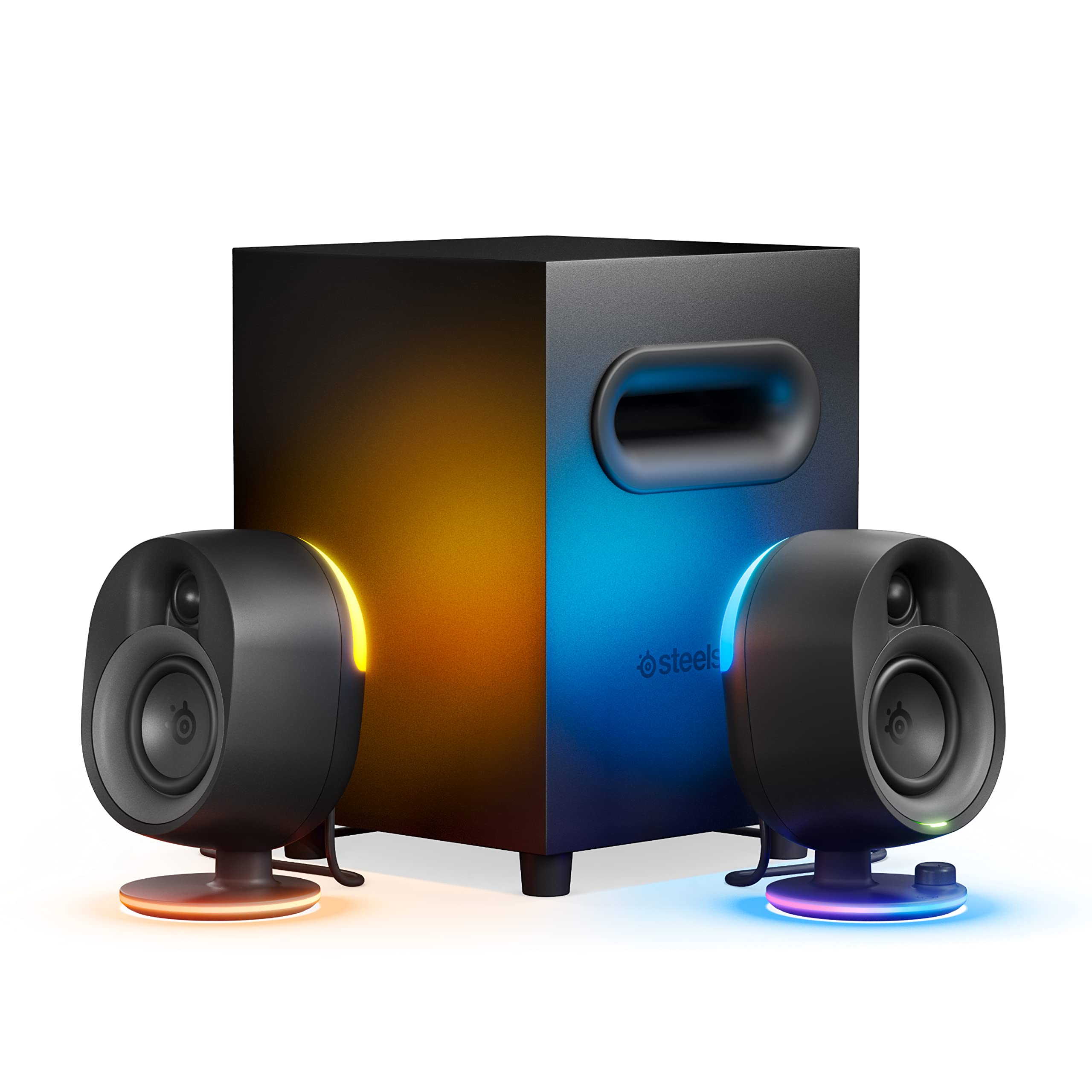
- A 6.5-inch downward-firing subwoofer adds a dedicated bass component.
- Four-zone LEDs react to screen activity and music.
- Connections include USB, AUX, optical, and Bluetooth.
Best For: PC and console players seeking a subwoofer, reactive lighting, Bluetooth, and sound customization.
Nylavee SK100Pro
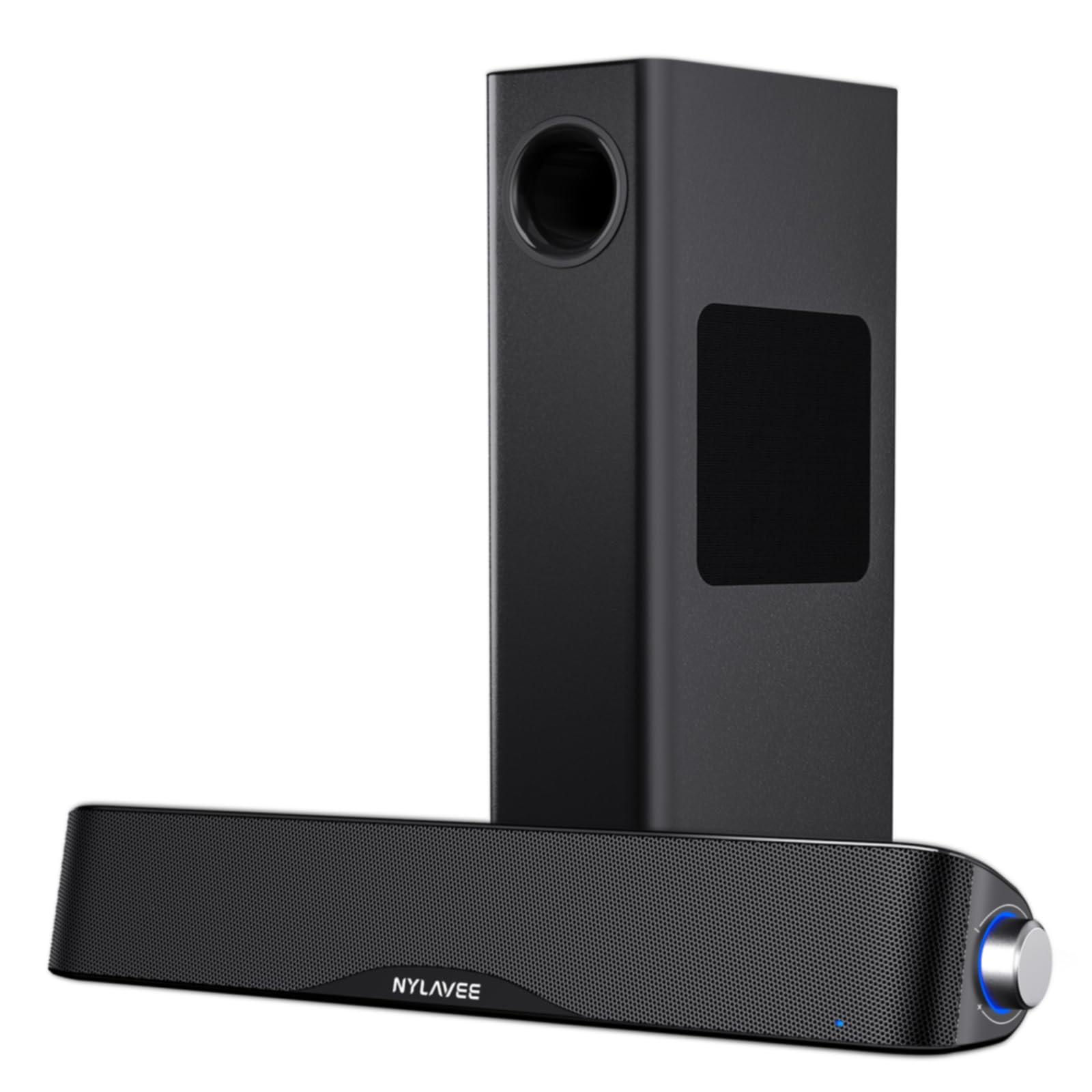
- A wired 5.25-inch bass driver is paired with a soundbar.
- Supports Bluetooth 5.4 and 3.5mm AUX connections.
- The side knob controls power, modes, and volume.
Best For: A desktop or console user who wants a soundbar, wired subwoofer, Bluetooth, and a side control knob.
Audioengine A2 HD (HD3)
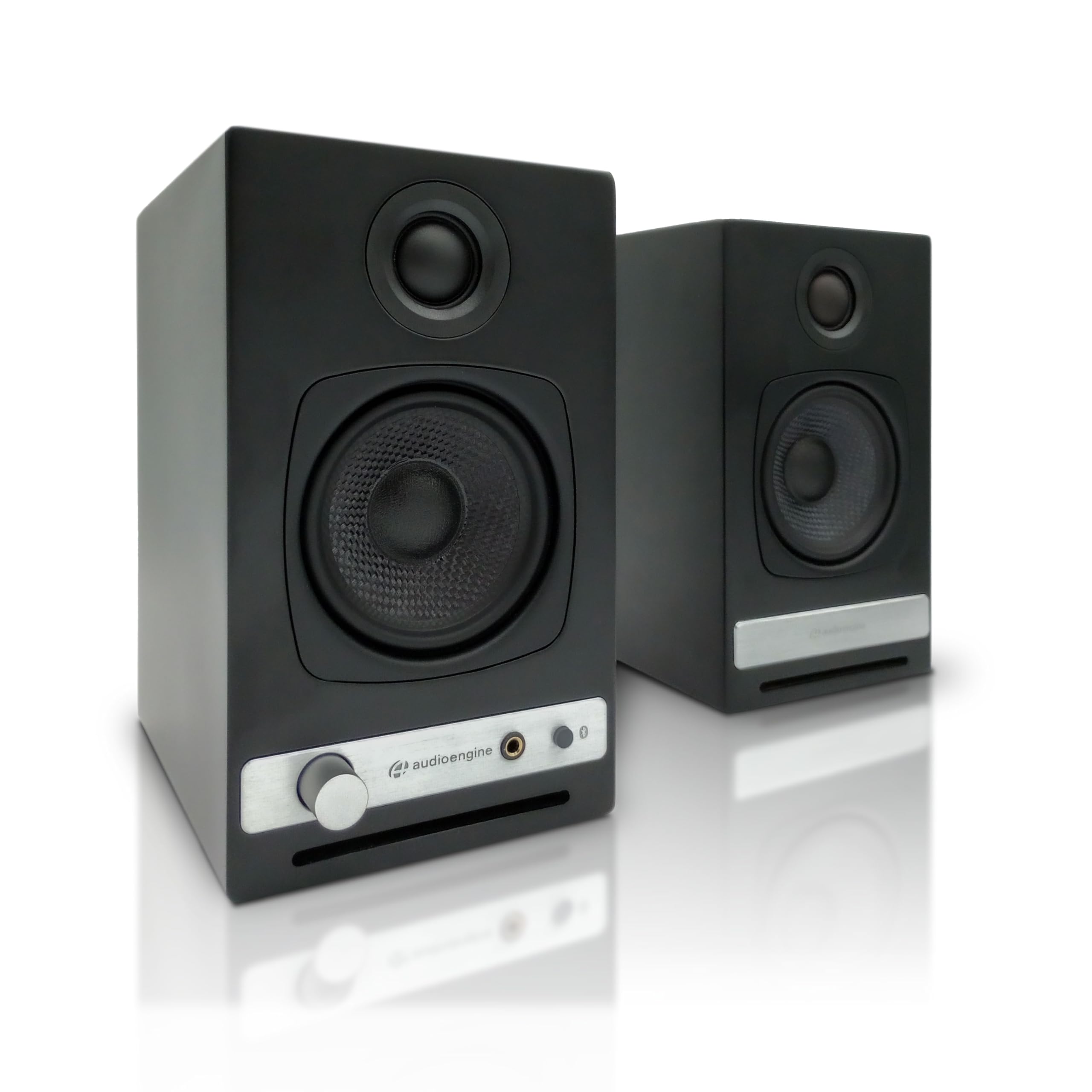
- USB DAC and Bluetooth aptX HD support computer and wireless audio.
- A built-in headphone amplifier and front-panel output support private listening.
- Inputs include USB, RCA, and 3.5mm AUX.
Best For: Listeners who want powered desktop speakers with a built-in headphone amplifier and several input choices.
Audioengine A5+
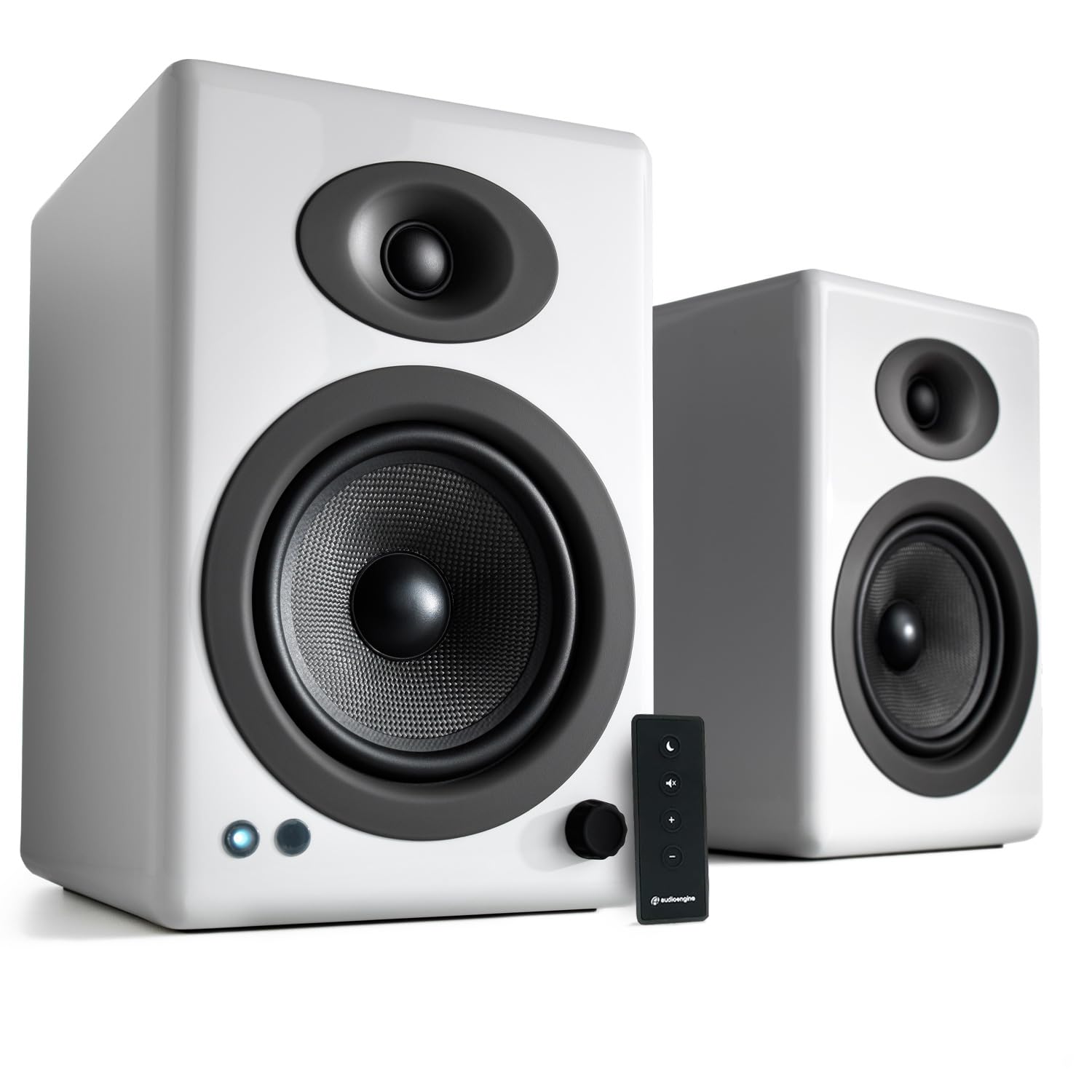
- Rated at 150 watts for room-filling audio use.
- RCA and 3.5mm AUX inputs connect computers and other devices.
- Bluetooth is not supported.
Best For: Someone who wants larger powered speakers for a desk, office, or room and does not need Bluetooth.
Nylavee SK700
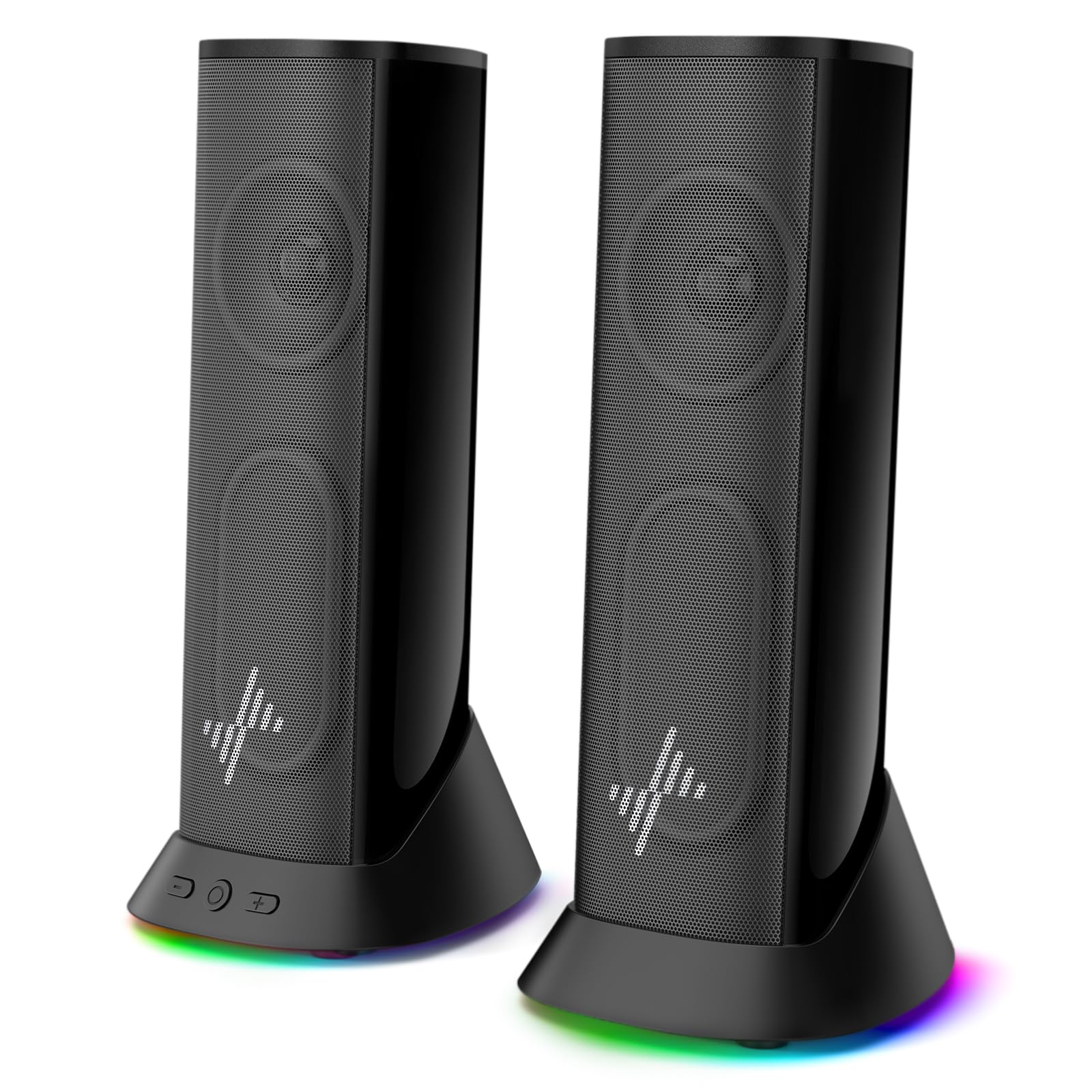
- USB power and 3.5mm AUX audio enable plug-and-play setup.
- Nine lighting modes include an option to switch the lights off.
- A 4.5-foot cable is designed for a dual-monitor workspace.
Best For: A desk user seeking USB-powered speakers with AUX audio, lighting modes, and a slim profile.
Nylavee SK400

- Dual-magnet full-range units and two speaker ports shape the stereo design.
- Six touch-controlled lighting modes are built into the speakers.
- USB supplies power while audio travels over 3.5mm.
Best For: A desktop listener who wants a straightforward wired stereo pair with touch-controlled lighting.
Audioengine A2 AIO (B2)
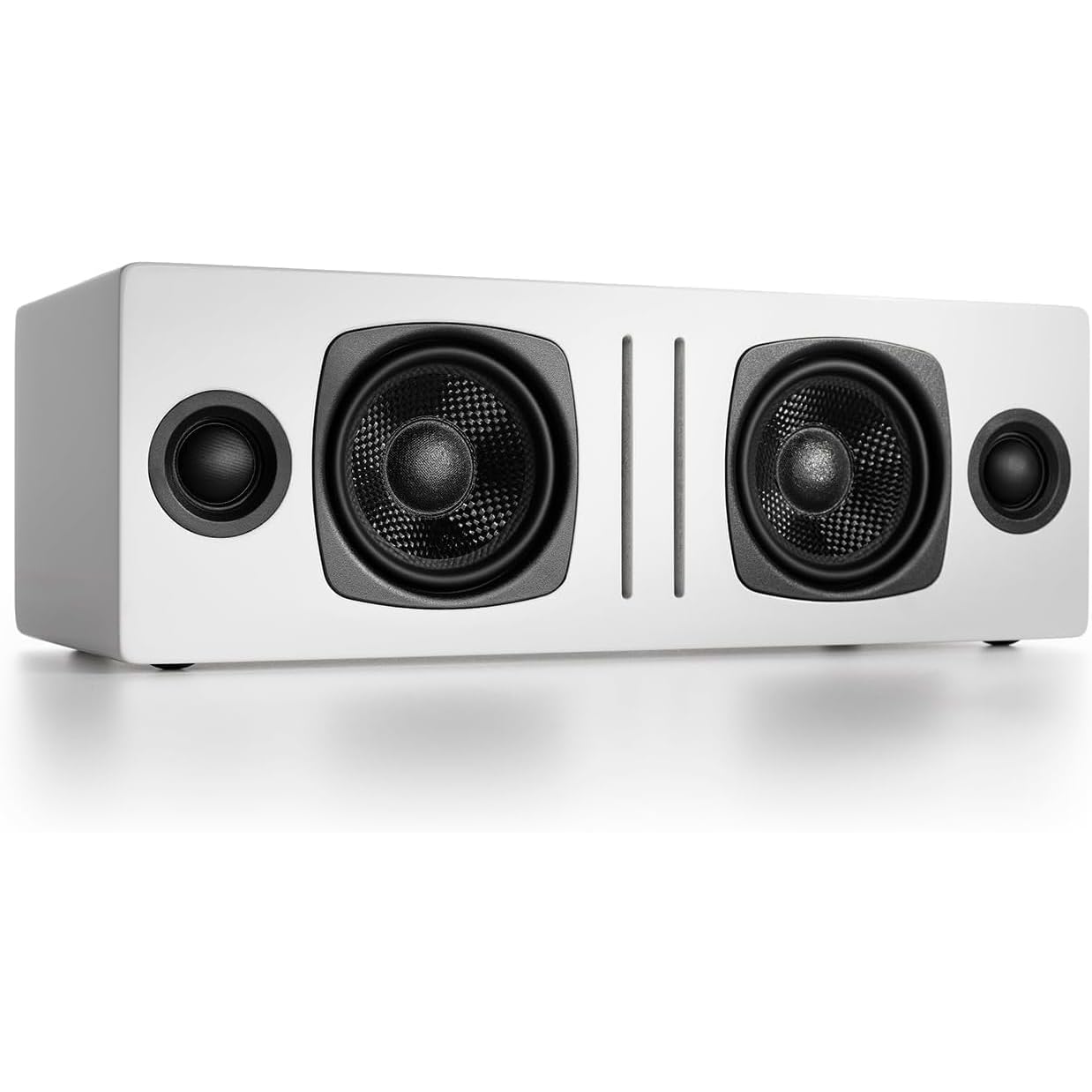
- Bluetooth and 3.5mm AUX provide wireless and wired playback options.
- The speaker has two woofers and two tweeters.
- Its all-in-one design is intended for use in multiple locations.
Best For: Someone who wants one Bluetooth speaker for computer audio and occasional use around the home.
Compact Stereo With USB-C DAC
Audioengine A2+ Wireless Computer Speakers – Bluetooth Desktop Speakers with 24-Bit DAC for PC, Mac, Gaming and Music - Red
The Audioengine A2+ is a compact powered stereo pair built for nearfield listening at a desk. Its 24-bit DAC connects to a computer through USB-C, while Bluetooth 5.3 with aptX-HD supports wireless streaming.
RCA and 3.5mm AUX inputs add options for other devices, including a TV or game system. Hand-finished real wood cabinets and custom-tuned components give it a more substantial desktop setup than basic plastic speakers.
It suits music, games, calls, and videos, but the records do not specify dimensions or a subwoofer, so check desk fit and bass expectations before choosing it.
Best For: A desktop listener who wants compact powered speakers, a USB-C DAC, and both wireless and wired connections.
| Pros | Cons |
|---|---|
|
|
Choose the A2+ if desktop placement and flexible digital and analog connections matter more than a separate subwoofer. The integrated DAC and USB-C input make it a straightforward computer-centered option, while Bluetooth can serve phones and tablets.
Its compact design is aimed at nearfield use, so consider your room and desired bass before buying. Check the exact cabinet dimensions and whether the included cables meet your setup needs.
Gaming Setup With Subwoofer and RGB
SteelSeries Arena 7 RGB Illuminated 2.1 Gaming Speakers with Powerful Bass, Subwoofer, and Bluetooth - For PC, PlayStation, Mobile
The SteelSeries Arena 7 is a 2.1 desktop gaming system with separate speakers and a 6.5-inch downward-firing subwoofer. Its silk dome tweeters and organic-fiber woofers are designed to handle detail across the mid and high frequencies, while four-zone PrismSync lighting reacts to on-screen events and music.
USB, AUX, optical, and wired headset support offer a broad set of connections, and Bluetooth adds wireless playback from phones and other devices. Sonar software provides a 10-band parametric EQ and spatial audio simulation.
It takes more setup space than a compact pair, so check where the subwoofer can sit.
Best For: PC and console players seeking a subwoofer, reactive lighting, Bluetooth, and sound customization.
| Pros | Cons |
|---|---|
|
|
Pick Arena 7 when gaming features, multiple connection types, and a dedicated subwoofer are central to your desktop setup. Its lighting and software controls are more involved than a simple plug-and-play pair, while Bluetooth makes it useful for phone audio too.
Before buying, plan for the subwoofer and confirm which connection best matches your PC or console. The product record does not provide overall system dimensions.
2.1 Soundbar With Wireless Audio
Nylavee Computer Speakers with Subwoofer, 2.1 PC Soundbar, Bluetooth 5.4
The Nylavee SK100Pro combines a computer soundbar with a wired subwoofer for a 2.1 desktop arrangement. Its dual soft-dome silk tweeters and full-range drivers handle highs and mids, while a standalone 5.25-inch bass driver provides a separate bass source.
Bluetooth 5.4 and 3.5mm AUX support wireless or wired playback, and the side knob handles power, mode switching, and volume. The system is powered by an adapter and has no built-in battery.
It can suit computers and game consoles, but its soundbar and subwoofer need more placement space than a single compact pair.
Best For: A desktop or console user who wants a soundbar, wired subwoofer, Bluetooth, and a side control knob.
| Pros | Cons |
|---|---|
|
|
Choose the SK100Pro if you want a soundbar-and-subwoofer layout with both AUX and Bluetooth. The side knob keeps basic controls on the system, and the adapter-powered design suits a stationary desk.
It occupies more space than a compact stereo pair, so check room for both pieces and route the subwoofer cable before setting up. Verify that AUX or Bluetooth matches your source, since the supplied details do not identify optical or USB audio input.
Desktop Pair With Headphone Amplifier
Audioengine A2 HD (HD3) Wireless Computer Speakers – Bluetooth Desktop Speakers with DAC, Headphone Amplifier and USB Audio - Black
The Audioengine A2 HD, also called HD3 in its title, is a compact powered pair for computers, gaming, and home offices. It combines Bluetooth aptX HD with a USB DAC, so you can connect directly to a computer or stream wirelessly.
RCA and 3.5mm AUX inputs support additional wired sources. A front-panel headphone output and built-in headphone amplifier make switching to private listening part of the desktop setup.
Handcrafted wood cabinets and custom-tuned drivers round out the design. The record does not give speaker dimensions or identify a subwoofer, so check fit and your preferred bass arrangement before choosing it.
Best For: Listeners who want powered desktop speakers with a built-in headphone amplifier and several input choices.
| Pros | Cons |
|---|---|
|
|
The A2 HD fits a desk where a headphone output is as useful as speaker playback. Its DAC, aptX HD Bluetooth, RCA, and AUX inputs cover several source types, making it versatile for computer and media use.
Consider it against the A2+ based on the headphone amplifier and your preferred connection setup; the supplied details do not establish a direct performance difference. Check cabinet dimensions and whether you need a separate subwoofer.
Wired Bookshelf Speakers for Room-Filling Sound
Audioengine A5+ Wired Bookshelf Speakers – Powered Speakers for Turntables, Vinyl Records, Music Streaming and Home Theater - White
The Audioengine A5+ is a powered bookshelf speaker pair aimed at users who want more than close-range desktop playback. It is rated at 150 watts and is described for room-filling use in settings such as an office, living room, studio, or home theater.
RCA and 3.5mm AUX inputs connect computers, turntables, TVs, and game consoles. The wood cabinet design and high-fidelity positioning may suit a broader listening setup, but these are wired speakers and are not compatible with Bluetooth.
Check the cabinet dimensions and available space before placing them on or beside a desk.
Best For: Someone who wants larger powered speakers for a desk, office, or room and does not need Bluetooth.
| Pros | Cons |
|---|---|
|
|
Choose the A5+ if a wired setup and broader room use matter more than compact desktop placement or wireless streaming. The 150-watt rating and bookshelf format set it apart from the smaller nearfield-oriented pairs in this selection.
Its RCA and AUX inputs work with computers and other listed sources, but you will need a wired connection. Check cabinet size and desk or shelf space before buying.
Slim Plug-and-Play Speakers With Lighting
Nylavee Computer Speakers, Plug-and-Play PC Speakers for Desktop & Laptop
The Nylavee SK700 is a plug-and-play stereo option for a desktop, laptop, or monitor. It uses USB for power and a 3.5mm AUX connection for audio, with no drivers required.
Dual full-range speaker units and passive radiators are designed to add depth for games, movies, and music. Nine lighting modes let you adapt the setup, with an option to turn the lights off.
Its 4.5-foot cable is described as supporting a dual-monitor desk arrangement. It is not a wireless model, so make sure a 3.5mm audio connection is available and plan for the cable route.
Best For: A desk user seeking USB-powered speakers with AUX audio, lighting modes, and a slim profile.
| Pros | Cons |
|---|---|
|
|
The SK700 is a practical fit for a desk where simple setup and lighting options are priorities. USB provides power, while AUX carries audio, so it needs both a suitable power connection and an available 3.5mm output.
Its 4.5-foot cable may help with a multi-monitor layout, but plan the cable path around your actual desk. Choose another option if you specifically want Bluetooth or a separate subwoofer.
Simple Stereo With Touch Lighting
Nylavee Computer Speakers for Desktop, PC Speakers with 6 Lighting Modes
The Nylavee SK400 is a tabletop stereo pair with dual-magnet full-range speaker units and two speaker ports designed for bass. Six touch-controlled lighting modes add color to a desktop setup, while a single knob handles power and volume.
It connects through 3.5mm audio and uses USB for power; the USB cable does not carry audio. The plug-and-play arrangement works with computers, laptops, phones, tablets, and compatible consoles without drivers.
It does not include Bluetooth, so consider the cable setup and your device's audio output before buying.
Best For: A desktop listener who wants a straightforward wired stereo pair with touch-controlled lighting.
| Pros | Cons |
|---|---|
|
|
Choose the SK400 for a basic wired desktop setup with touch lighting and a simple physical volume control. Its USB and AUX roles are separate: USB powers the pair, and the 3.5mm cable carries audio.
That arrangement is easy to understand but means checking both connections and available ports. Its distinct appeal is touch-controlled lighting and the single volume knob.
Portable Bluetooth Speaker for Mixed Locations
Audioengine A2 AIO (B2) Bluetooth Speaker – Premium Wireless Home Speaker | for Music Streaming from Phone, Tablet and Computer - White
The Audioengine A2 AIO, identified as B2 in its product name, is a portable Bluetooth speaker intended for music streaming from computers, phones, tablets, TVs, and game systems. Its all-in-one design includes two woofers and two tweeters, with 60W peak total power and aptX Bluetooth.
A 3.5mm AUX input gives a wired option, and the magnetic grille is a practical design detail. The record emphasizes moving it between locations such as a kitchen and patio rather than a fixed computer desk.
Check that this portable speaker format matches your preference for a desktop setup before buying.
Best For: Someone who wants one Bluetooth speaker for computer audio and occasional use around the home.
| Pros | Cons |
|---|---|
|
|
Consider the A2 AIO if you want a portable Bluetooth speaker that can also play computer audio, rather than a fixed pair of desktop speakers. Its AUX input provides a wired option, and its listed use spans several rooms and devices.
The format may suit flexible placement, but buyers seeking separated left and right speakers should check whether this all-in-one design fits their preference. Confirm the wired connection you plan to use.
How to Choose Computer Speakers
How We Picked Computer Speakers
These choices cover common computer audio setups: compact powered stereo pairs, plug-and-play desktop speakers, gaming systems with subwoofers, a wired bookshelf pair, and a portable Bluetooth speaker. We prioritized candidates with a clear use for computers, desktops, laptops, or gaming systems and compared their documented connections, speaker formats, controls, and extra features.
The range matters because a desk speaker is shaped by more than sound. A small nearfield pair such as the Audioengine A2+ is built for close listening, while the SteelSeries Arena 7 and Nylavee SK100Pro add a separate subwoofer.
The A5+ is oriented toward room use and needs a wired connection. These are different setups, so choose around your space and sources.
Comparing Computer Speakers
Start with the speaker layout. Compact stereo pairs separate left and right channels across the desk.
A soundbar and subwoofer system groups some audio in front of the monitor and adds a separate bass unit. A portable all-in-one Bluetooth speaker prioritizes moving between locations.
Leave enough room for every included component and its cables.
Next, match connections to the computer and other devices. The A2+ and A2 HD combine USB-based computer audio with Bluetooth and analog inputs.
The SK400 and SK700 use USB for power and 3.5mm AUX for audio, so check for both connections. The A5+ uses RCA or AUX and has no Bluetooth.
The Arena 7 adds optical and Bluetooth, while the SK100Pro supports Bluetooth 5.4 and AUX.
| Product | Standout features | Best for |
|---|---|---|
| Audioengine A2+ WirelessCheck Price |
| A desktop listener who wants compact powered speakers, a USB-C DAC, and both wireless and wired connections. |
| SteelSeries Arena 7Check Price |
| PC and console players seeking a subwoofer, reactive lighting, Bluetooth, and sound customization. |
| Nylavee SK100ProCheck Price |
| A desktop or console user who wants a soundbar, wired subwoofer, Bluetooth, and a side control knob. |
| Audioengine A2 HD (HD3)Check Price |
| Listeners who want powered desktop speakers with a built-in headphone amplifier and several input choices. |
| Audioengine A5+Check Price |
| Someone who wants larger powered speakers for a desk, office, or room and does not need Bluetooth. |
| Nylavee SK700Check Price |
| A desk user seeking USB-powered speakers with AUX audio, lighting modes, and a slim profile. |
| Nylavee SK400Check Price |
| A desktop listener who wants a straightforward wired stereo pair with touch-controlled lighting. |
| Audioengine A2 AIO (B2)Check Price |
| Someone who wants one Bluetooth speaker for computer audio and occasional use around the home. |
Choosing Desktop Speakers for Gaming and Music
For gaming, decide whether reactive lighting, software controls, or a subwoofer will improve your setup. Arena 7 combines PrismSync lighting, a subwoofer, and Sonar customization.
The SK100Pro also adds a separate bass driver but uses a soundbar and side knob. Simpler desktop speakers such as the SK400 or SK700 focus on straightforward wired setup and lighting modes.
For music, consider where you listen and how you connect. The Audioengine A2+ includes a 24-bit DAC over USB-C, while the A2 HD adds a headphone amplifier and front-panel output.
The A5+ is a wired bookshelf option designed for broader room use. These product records do not establish a direct sound-quality ranking, so focus on the features that match your listening habits.
Which Computer Speaker Setup Fits Your Desk?
A crowded desk may favor a compact pair or a slim set of speakers with a cable length suited to your monitor layout. Check the product dimensions, power needs, and placement for any subwoofer.
When dimensions are not provided, confirm them before buying rather than assuming that a speaker will fit below or beside a monitor.
Consider the rest of your workspace, too. If you often switch to headphones, the Audioengine A2 HD has a built-in headphone amplifier and front output.
If you want physical simplicity, the SK400 uses one knob for power and volume, while the SK100Pro uses a side knob for power, mode, and volume. If you prefer not to keep a desktop pair in one place, the portable A2 AIO may better suit a mixed-room setup.
Who Should Buy Which Computer Speakers?
Choose the A2+ for compact desktop listening with USB-C DAC, Bluetooth, and wired inputs. Choose the A2 HD if its headphone amplifier and front output suit your workday.
The Arena 7 fits gaming setups that can accommodate a subwoofer and value reactive lighting and audio controls.
The SK100Pro suits a soundbar layout with Bluetooth and a wired subwoofer; the SK400 and SK700 fit users who want simple AUX desktop audio with lighting. The A5+ makes sense for a wired setup used beyond the desk, while the A2 AIO suits portable Bluetooth playback from a computer and around the home.
Check available ports, cable routing, and component placement before settling on a model.